Bibliotheca

Biblio Times for iPhone, iPad and MacYour feeds, set as a morning paper.

Each morning your device collects the publications you choose and lays them out as a newspaper: a front page, sections, columns, headlines in a proper serif, photographs screened as halftones. No account. Nothing through our servers.

One App Store download for iPhone, iPad and Mac. Your first three papers are on the house.

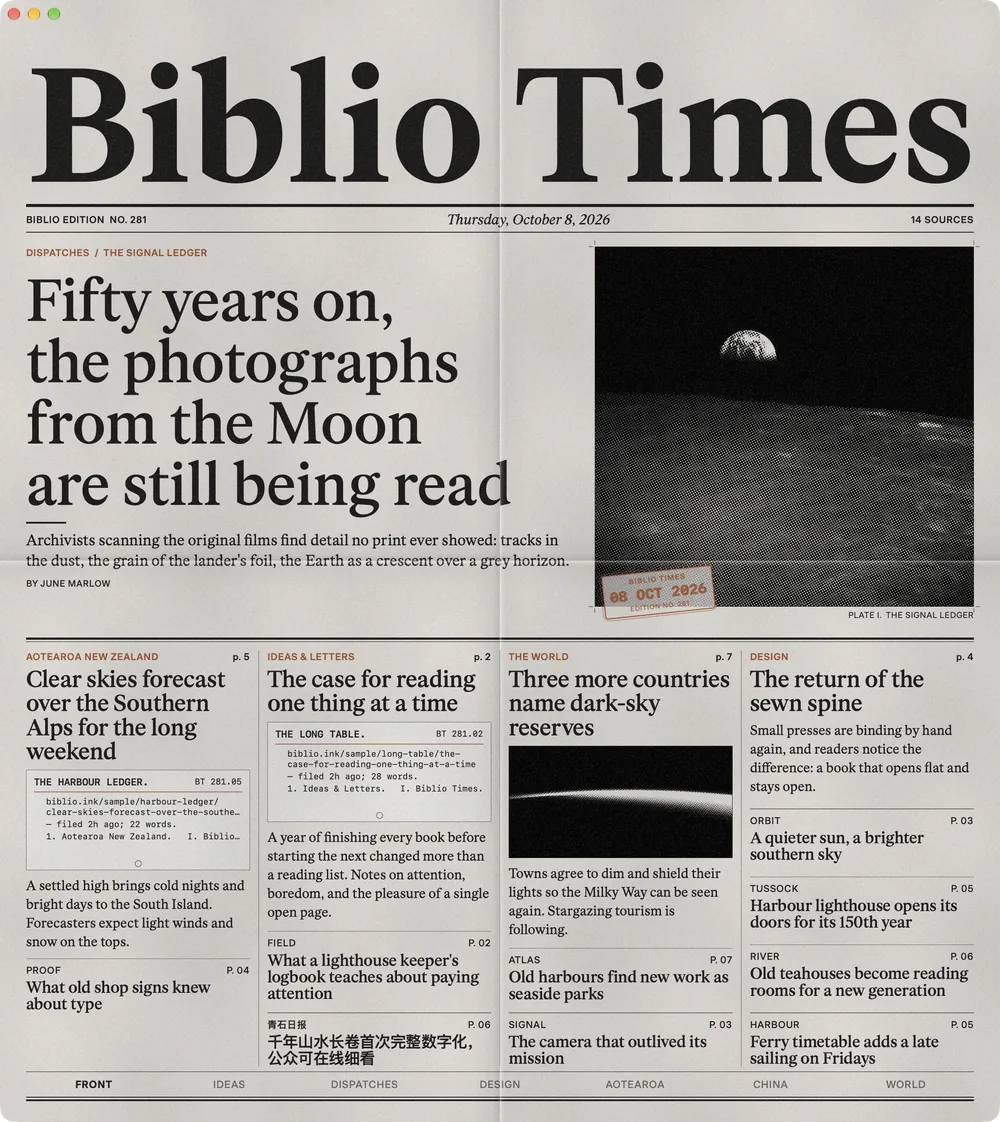
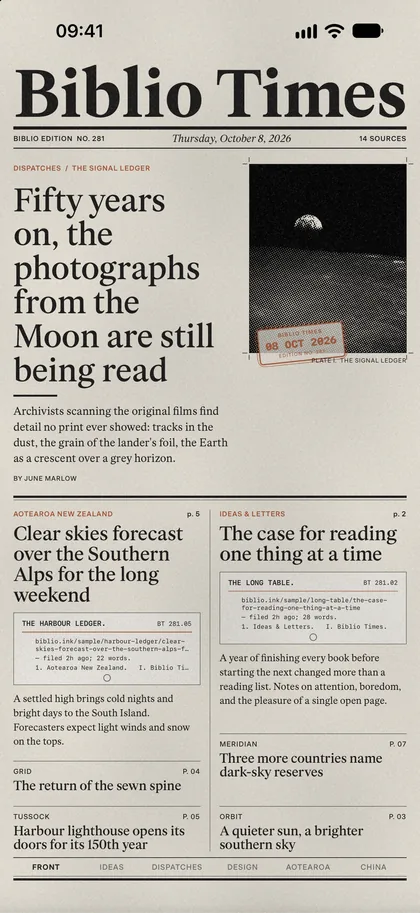
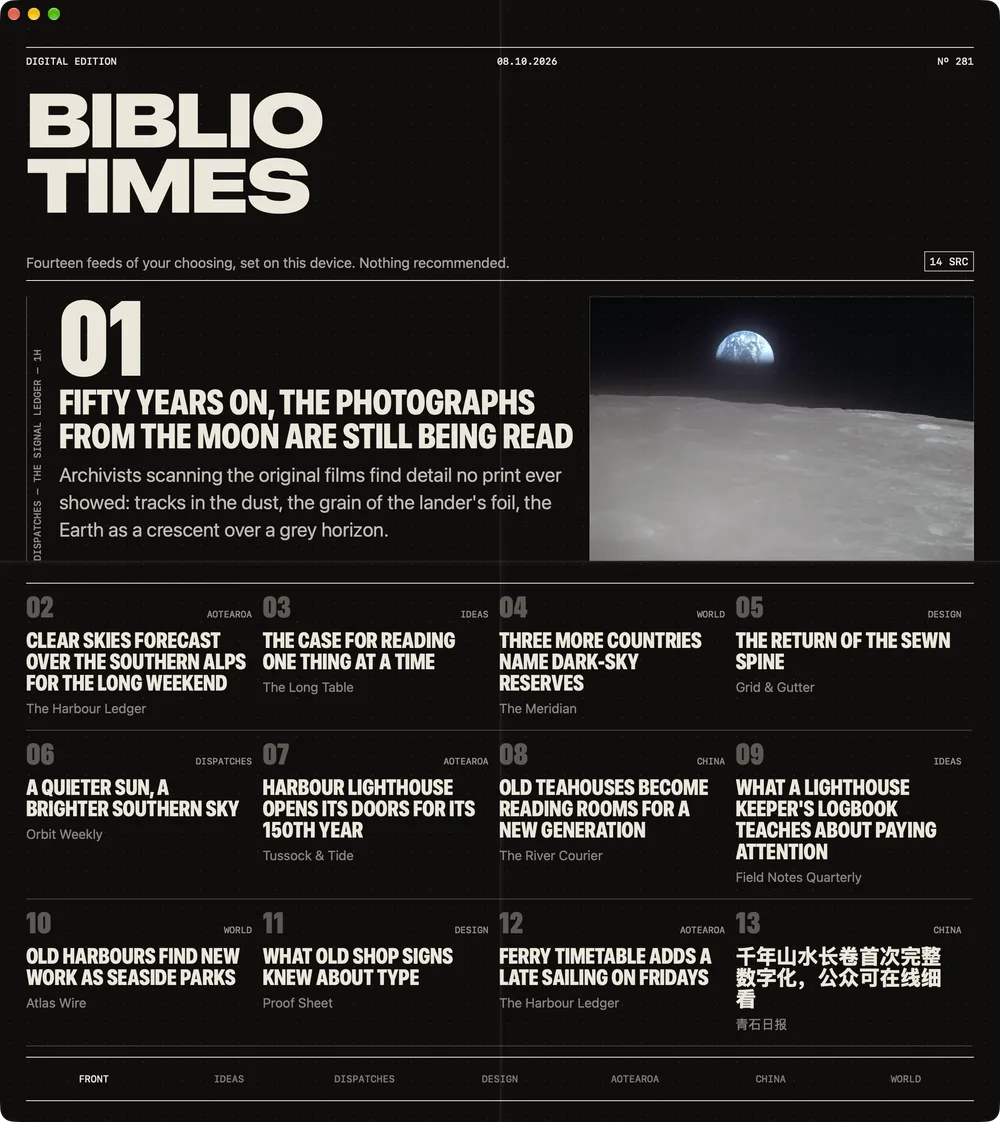
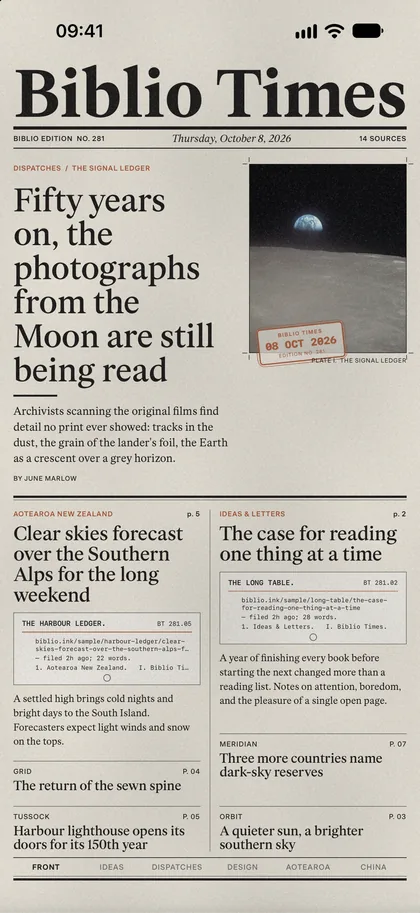
Biblio Times on a Mac: the Biblio edition's front page, a serif masthead above a halftone photograph of the Moon and four columns of headlines. Biblio Times on iPhone: the front page folded in half, the masthead and lead story above the fold.

iPhone

It arrives folded in half.

The paper comes the way a paper does: folded, the lead story above the crease. Pull it open to read below the fold, turn the page for the next section, and fold it in four to carry it in the corner of the screen.

  • Above and below the fold. The front page is laid out for the crease, so nothing is cut through the middle.
  • A morning call when the paper is printed, carrying the day's headline. Off until you ask for it.
  • Sound, if you like. The paper rustles as it folds and turns, and is heard even with the phone on silent. Off in one switch.
  • On the iPhone Duo the cover shows the front page; open the phone and the paper opens as a spread.
Get it for iPhone

Requires iOS 18 or later.

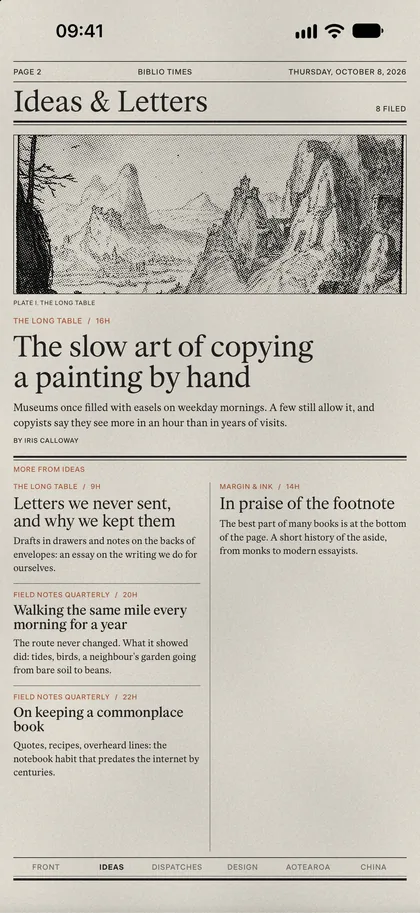
Biblio Times on iPhone: the front page above the fold. Biblio Times on iPhone: the Ideas and Letters page, a woodcut landscape above its lead story.

iPad

A spread, at the breakfast table.

On iPad the paper opens flat: two pages side by side, the gutter between them, a page number and the date in the margin. Turn a page by its corner.

  • Two pages at once, with the rack of back issues beside the front page.
  • Columns that fit the page. Larger type takes a wider column and fewer of them, never a thinner one.
  • Read a story on the page. "Print on this page" sets the publisher's text in the paper's own type.
  • Clip what you want to keep. Clippings stay until you take them out, and follow you through iCloud.
Get it for iPad

Requires iPadOS 18 or later.

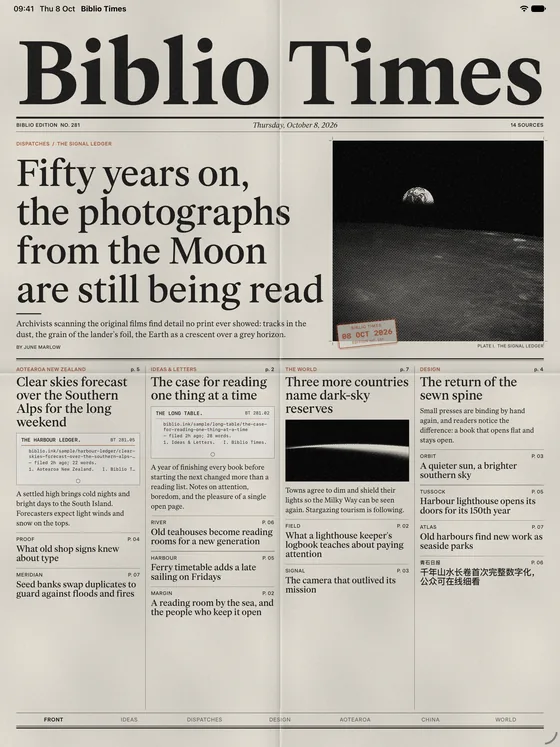
Biblio Times on iPad: the front page laid flat, four columns of headlines below the Moon photograph.

Mac

A paper on the desk, not a window.

The Mac app can hide the window's buttons and its title, so what is left on the desk is a sheet of paper. Every command is on the menu bar and the keyboard: turn a page with the arrows, open Settings with ⌘, and the rack with ⌘B.

  • Hide the window buttons for a clean sheet, and bring them back from the View menu.
  • File, View and Go menus for back issues, the typeface, the paper, pictures and every section.
  • The Digital edition, a tight grotesk in San Francisco, if the serif is too much for a screen.
  • The same pass. Bought on the iPhone, held on the Mac, through your Apple Account.
Get it for Mac

Requires macOS 15 or later on an Apple silicon or Intel Mac.

Biblio Times on a Mac: the Digital edition, a black grotesk masthead and numbered headlines.

Your device is the press.

Nothing is ticked for you. Say where you live, tick the publications you want, and the first edition prints.

Starter feeds

For Australia, Canada, China, France, Germany, India, Ireland, Japan, Aotearoa New Zealand, Singapore, Thailand, the United Kingdom and the United States, and for the Ideas, Dispatches and Design desks. A desk that prints in two languages says so.

Any site of your own

Type a site or a feed address and the device looks for its RSS or Atom feed. Anything you add prints under Correspondence.

Straight from the publisher

Your device asks each publisher for its feed, as any reader would, and sets what came back. Biblio never sees a request, a headline or a reader.

Set like a paper, kept like one.

The same paper on every screen you own, with the rack of back issues behind the front page.

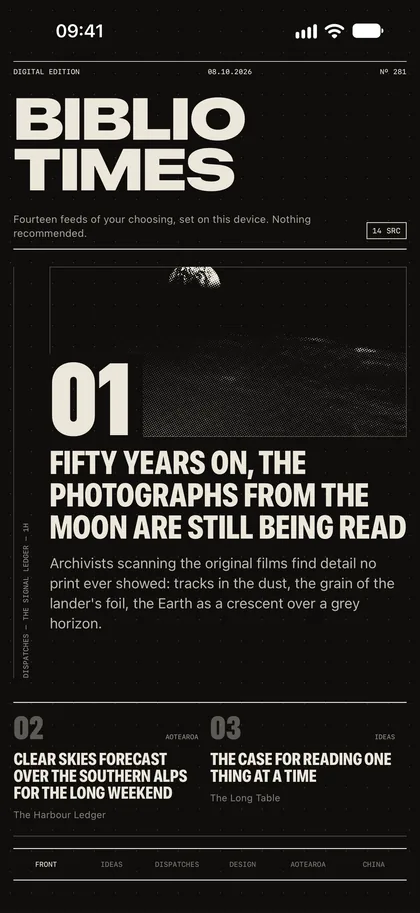
The Digital edition on iPhone: a black grotesk masthead and numbered headlines.
Two editions
The World page on iPhone with its photographs shown in colour.
Halftone or colour
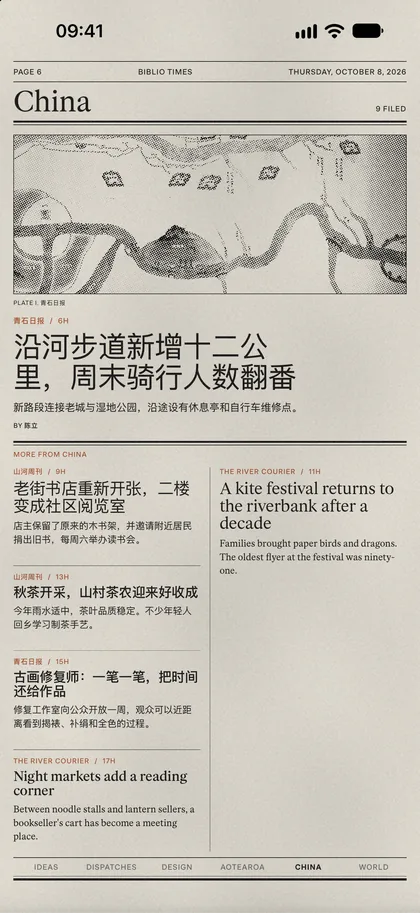
The China page on iPhone: headlines set in Chinese beside English ones.
Home news in its own language
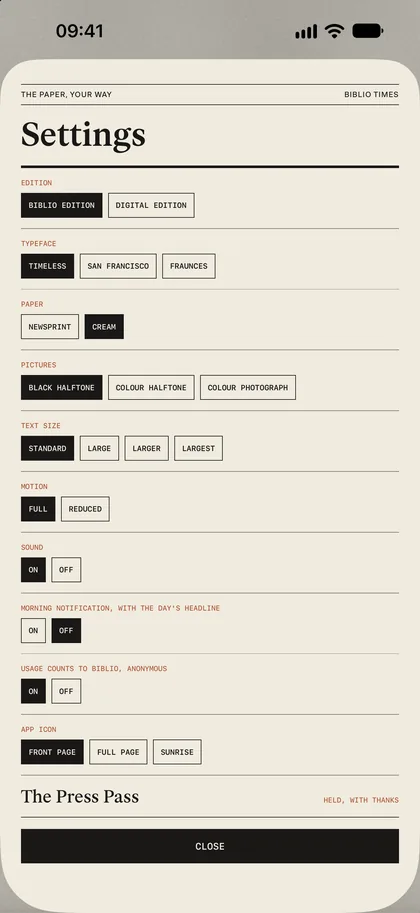
Settings on iPhone: edition, typeface, paper, pictures and type size, each a row of choices.
Type, paper, pictures

Two editions

Biblio, set in Fraunces and Timeless on newsprint or cream. Digital, a tight grotesk in San Francisco. Both at four sizes of type.

Halftone pictures

Photographs are screened as halftones to suit the page, or shown in colour if you choose. Each carries the day's stamp.

Print on this page

Ask the publisher's site for the story and read it set in the paper's type, on the page, in your own column width.

Clippings

Clip a story and it stays until you take it out. Send it to Biblio, or to any e-reader, as a book.

Back issues

Every paper your device prints is kept a fortnight, one a day, on the rack behind the front page.

In your language

Thai, Chinese and Japanese stories are set with their own line breaks and letterforms, beside the English.

Three papers on the house. Then the pass.

The Press Pass pays for this app and the work in it, once. The stories remain their publishers', and nothing in the paper is sold.

The first three papers
On the house, on every device
The Press Pass
$14.99 once, for every device on your Apple Account. Launch price to the end of October, then $19.99
Press Founder
$99 once. The pass for your family through Family Sharing, and your name printed on your paper
Subscription
None

Questions, answered plainly.

Is Biblio Times free?

Your first three days' papers are on the house. After them the press runs for holders of the Press Pass: $14.99, bought once from Apple, for every device signed in with your Apple Account. That is the launch price and holds to the end of October 2026; afterwards the pass is $19.99. A Press Founder pays $99 once, holds the pass for their family through Family Sharing, and has their name printed on their paper. There is no subscription.

Which devices does Biblio Times run on?

iPhone and iPad on iOS 18 or later, and Mac on macOS 15 or later. One App Store download covers all three, and the pass bought on one is held on every device signed in with the same Apple Account.

Where do the stories come from?

From the public RSS and Atom feeds of the publications you choose, fetched by your own device each morning. Nothing is routed through Biblio's servers. Starter lists cover thirteen countries and the Ideas, Dispatches and Design desks, and you can add any site or feed address of your own.

Do I need an account?

No. There is no sign-in and nothing to register. Biblio keeps no copy of what you read. The app counts, anonymously, that it was opened and which settings are chosen, under a random number for the install; that starts only after you agree to the notice, and Settings has the switch.

Can I read the whole story, not just the summary?

Tap a headline to read it where it was published. Or choose "Print on this page" and the paper asks the publisher's site for that one page and sets its text in the paper's own type, on your device, for your own reading. The publisher's page remains the copy of record.

Does it work offline?

The morning's paper is printed with a connection and read without one. Every paper your device prints stays on the rack for a fortnight, so the train, the plane and the beach all have back issues.

Can I send a story to Biblio or to my e-reader?

Yes. A story printed on the page can be sent to Biblio, the 3D bookshelf from the same press, or to any e-reader, as an EPUB. Stories you clip stay in the paper until you take them out.