This letter is the one we send to Biblio's readers by email, printed here for the paper's. It begins next door, in Biblio, the library the paper came from.
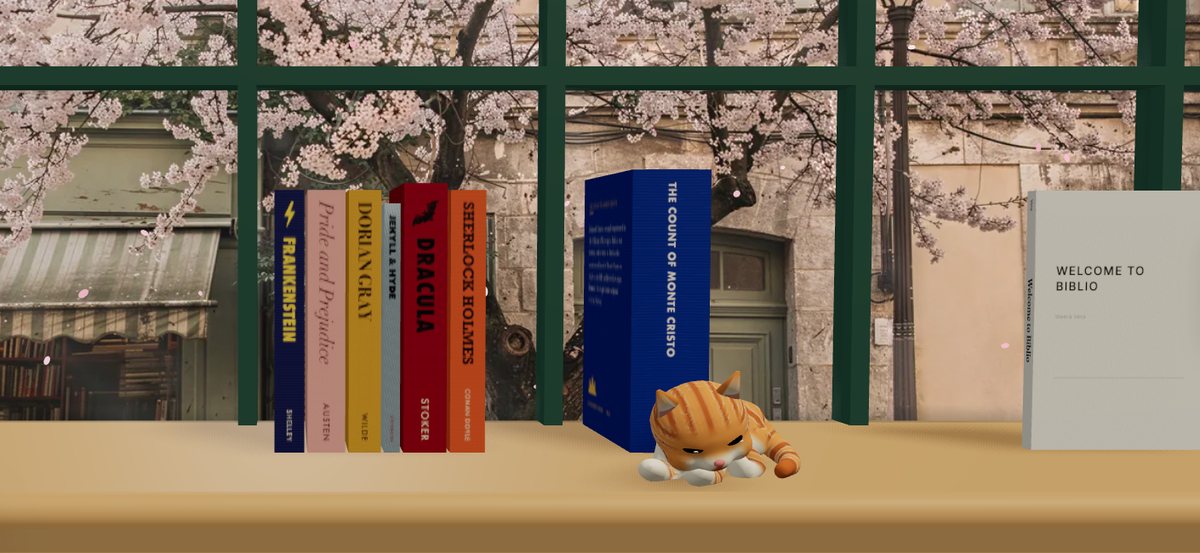
A ginger kitten lives on the window sill of Biblio's Four seasons room. She sleeps most of the day. Now and then she gets up to stretch, wash and watch the street, and if you lift a book from behind her she leaves the sill until it is home.
She is on biblio.ink today. On iPhone, iPad and Mac she comes with Biblio 1.13, which is with Apple for review as we write. There Vidya introduces her the first time you meet, and you can give her a name. If you would rather keep the sill to books, Cat on the sill, in Settings, turns her off.
Biblio 1.13 also gives every reader a library card, at the top of Settings. Sign it with your name. It shows how many books your shelf holds and where it syncs. Each plan has a card of its own: when you choose one, the card is stamped with the plan and the date, and it is yours to keep. The plans are at biblio.ink/membership.
Also in Biblio, on the App Store now:
- Share Premium with your family. In Settings, under Family, invite up to four people. Each of you keeps your own account and library, you share the cloud storage, and the Family shelf holds the books you all share.
- Highlights that follow you. Highlights, notes and bookmarks now sync between iPhone, iPad and Mac, with Biblio Cloud or iCloud. With Biblio Cloud they reach biblio.ink too.
- Turn the page by its corner. With Curl, the page lifts from where you hold it and follows your finger. While you read, Biblio stops drawing the shelf behind the book, so a long session uses much less battery.
- Series. Give a book a series and a volume number in its details. The number shows on the spine, and Series order keeps a run in order.
- Split or crop a cover. Some PDFs carry the whole jacket on one page. In Designer, Split full cover cuts it into back, spine and front, and Crop cover trims white margins.
- A smoother shelf, and large libraries in full. The 3D shelf now moves with your finger and carries on when you flick it. A library of more than 1,000 books arrives complete on a new device.
- The paper and the folio. A folded Biblio Times and an Atelier folio stand at the left end of the Main shelf. Pick one up like a book. Settings, under Shelf, takes them away.
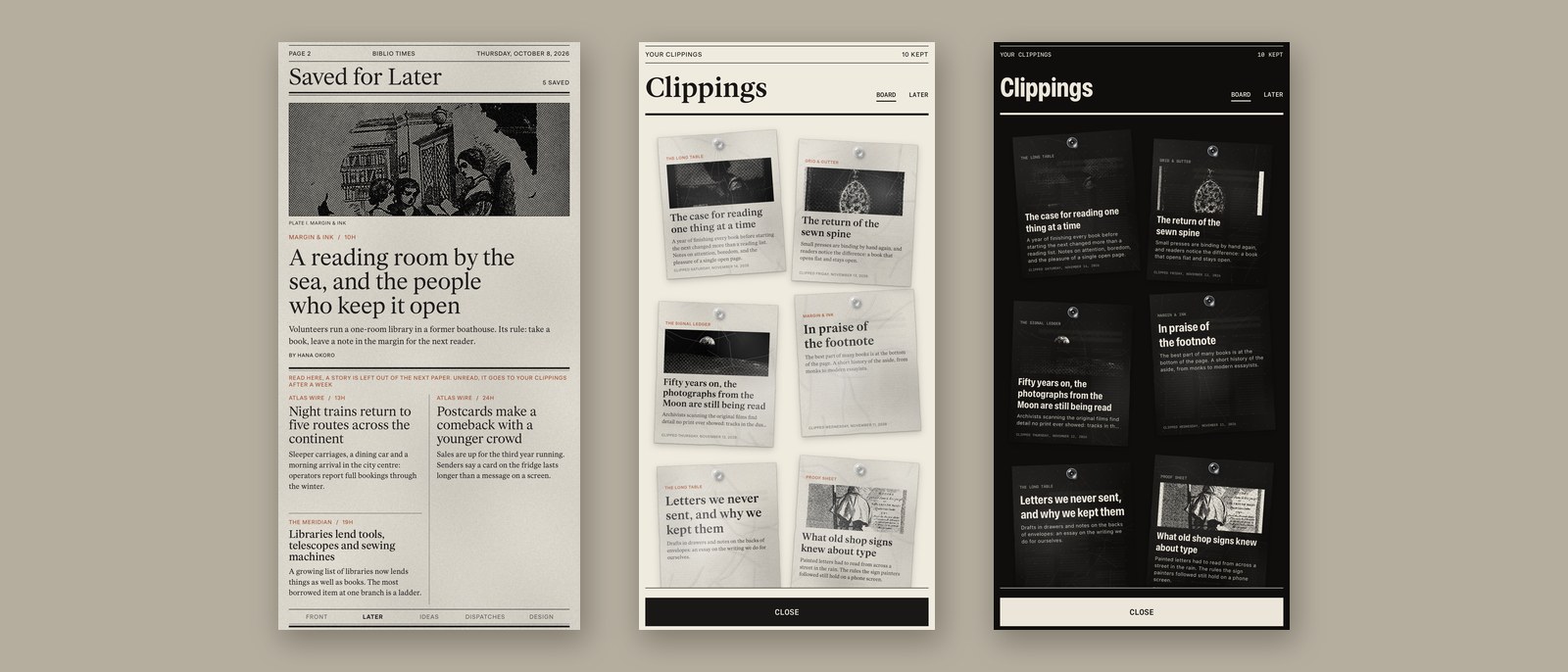
And in the paper. A reader wrote to say that a read-it-later list grows faster than anyone reads it. Biblio Times 1.7 is our answer, and it is on the App Store now. Press Later on a story and it prints on a page of its own, Saved for Later, in your next paper. Read it there and the paper after leaves it off. Left unread, it leaves the page after a week.
Your clippings are now cut-outs pinned to a board, each in its edition's type, with its photograph if it has one. Hold one and drag it where you like, and turn it with two fingers. Where you pin them follows you to your other devices.
Plate is a new magazine made of pictures, from design, architecture and photography sources, with each photograph printed where its publisher set it. The Biblio edition now comes on Night, a charcoal sheet printed in a warm light ink, and can follow your device into the dark. Your front page sits on the Home Screen, the Lock Screen and the Mac desktop as a widget. And Follow a topic, in Sources, gives a word or a name a page of its own.
Thank you for reading it. In its first month the paper ranked in the App Store's charts in 67 countries, and it has been No. 1 in News on the Mac in ten of them. To mark that, Press Founder stays at US$79 until 30 November, and is US$99 afterwards. The Press Pass is US$19.99. Both are bought once. More about the paper at biblio.ink/times.
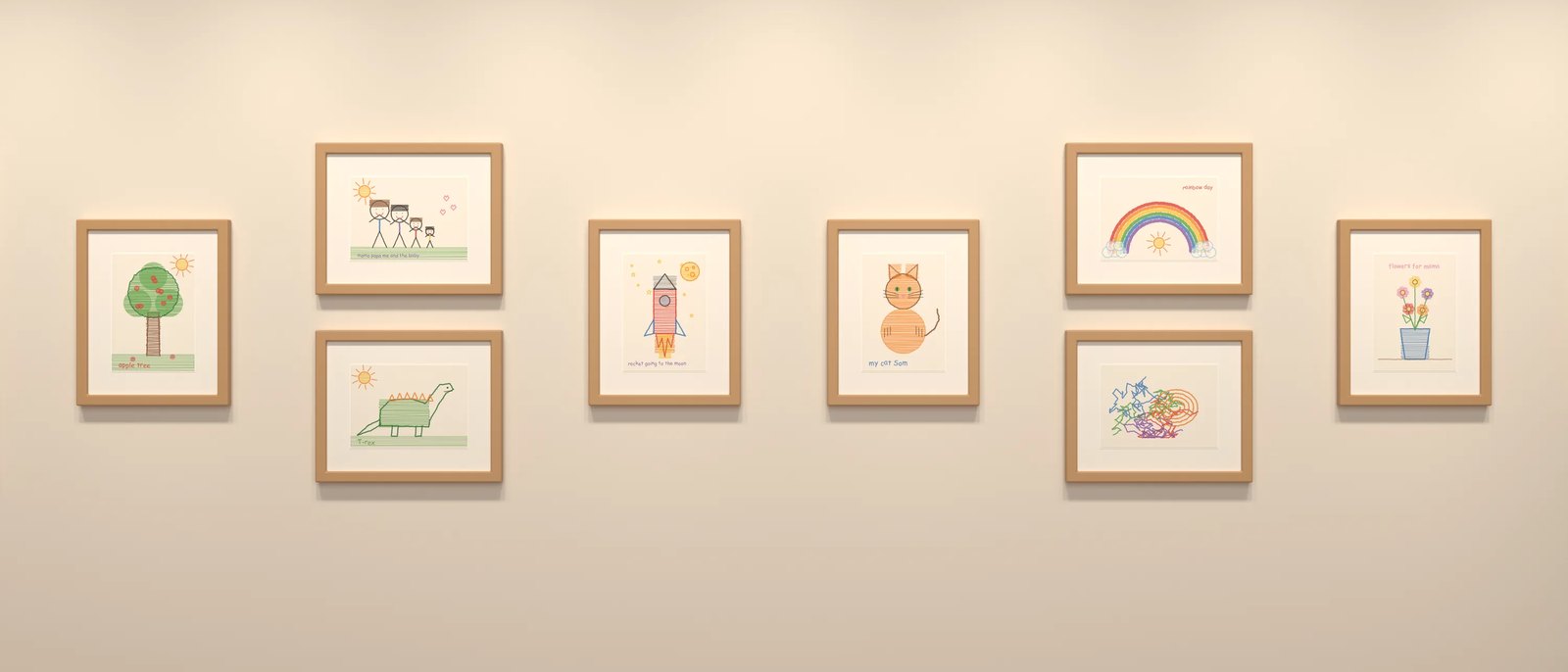
Last, for anyone who has not met it: Biblio Atelier is the third app from the same workshop. Biblio keeps your books and the paper prints your news; Atelier keeps the things worth keeping. Your children's drawings hang framed on a gallery wall at the size they were made, your own design work lies flat on a lit desk, and public-domain paintings from The Met's open collection have a wall of their own.
Scan a drawing with the camera and Atelier finds the page, straightens it and hangs it under the lights, with the child's own title, their age when they made it and the year. Everything stays on your own devices: the archive is an ordinary folder of the original files, and nothing is uploaded to us. The first 30 works are free, with every room included, and the rest is one purchase, never a subscription. Atelier is on the App Store for iPhone, iPad and Mac. More at atelierapp.live.
Please enjoy your news.
The editor